REDMOND, Wash.–(BUSINESS WIRE)–#nintendoswitch–This week’s Nintendo Download includes the following content: Digital Spotlight: ’Tis the Season – If you’re lookingREDMOND, Wash.–(BUSINESS WIRE)–#nintendoswitch–This week’s Nintendo Download includes the following content: Digital Spotlight: ’Tis the Season – If you’re looking

Nintendo Download: Happy Holidays!

REDMOND, Wash.–(BUSINESS WIRE)–#nintendoswitch–This week’s Nintendo Download includes the following content:

  • Digital Spotlight:
    • ’Tis the Season – If you’re looking to spend some quality time with friends and family, why not spread the cheer with some games on the Nintendo Switch 2 and Nintendo Switch systems? Stir up some friendly competition with Super Mario Party Jamboree – Nintendo Switch 2 Edition + Jamboree TV, where the party doesn’t have to stop after the gifts are unwrapped! Or, find out who’s the top speedster in your family with Mario Kart World. If you’re looking for some personal time, dive into a single-player adventure with Hollow Knight: Silksong and battle vast hordes of bugs and beasts while uncovering secrets tied to your nature and your past. Or, vanquish the forces of the Titan of Time with the full might of Olympus behind you in Hades II – Nintendo Switch 2 Edition. Whether you’re planning a fun winter’s eve for your loved ones or yourself, Nintendo has games for the occasion!

Nintendo Music:

  • No Party Like a Wii Party – Swing into the festivities with the Wii Party soundtrack – available now on the Nintendo Music1 app! Liven up any shindig you may be hosting over the holidays with jams including “Globe Trot,” “10,000 Medals in the Bank” and “Board Game Island.” For more info, visit: https://www.nintendo.com/us/switch/online/nintendo-switch-online/nintendo-music/.

Activities:

  • Kirby Air Riders: “Everyone, to the Stadium!” Event – Another online event is taking place in the Kirby Air Riders game for Nintendo Switch 2! Gather at the same Stadium contest in this fixed eight-player Trial and aim for first place. Nintendo Switch Online members2 can earn points based on their performance throughout the event period, which can be used to redeem in-game rewards. The “Everyone, to the Stadium!” event is available now through Dec. 28 at 7 p.m. PT.

Nintendo eShop sales on Nintendo Switch and Nintendo Switch 2:

  • Hits for the Holidays Sale – Save on digital versions of select games (including Princess Peach: Showtime! and The Legend of Zelda: Echoes of Wisdom) with the Hits for the Holidays Sale! Find festive deals on popular games for the Nintendo Switch and Nintendo Switch 2 systems when you shop on Nintendo.com or Nintendo eShop on your device. Don’t delay – this sale ends on Jan. 4 at 11:59 p.m. PT. For more information and to view the full list of games, visit https://www.nintendo.com/store/sales-and-deals.

Also new this week on Nintendo eShop on Nintendo Switch 2:

  • PRITTO PRISONER – Nintendo Switch 2 Edition

Also new this week on Nintendo eShop on Nintendo Switch:

  • 12 Party Games Collection
  • 4 in 1 Sports Bundle
  • 6 in 1 Power Bundle Vol 2
  • Adventure Reborn – Available Dec. 30
  • Agent A & Down in Bermuda Bundle
  • Animal Run for Kids – Available Dec. 26
  • EGGCONSOLE Carbuncle Pi MSX2
  • Gunner-chan!
  • Hypercar Racing
  • JDM Pixel Street Car Racing – Available Dec. 26
  • Juiced Fruit Racing – Available Dec. 26
  • MarronRoman
  • Nekomimi Days ~365 Days with You~ – Available Dec. 26
  • Parcel Push
  • PRITTO PRISONER
  • ULTIMATE BATTLE SIMULATOR – Available Dec. 30
  • Up Bundle
  • ZenWash – Available Dec. 27

For news and updates on all things Nintendo, you can also check out the free Nintendo Today! smart-device app. Whether it’s news about games, info about your favorite characters, or videos and comic strips — you’ll get personalized fun every day.

1 Nintendo Switch Online membership (sold separately) and Nintendo Account required. Not available in all countries. Internet and compatible smart-device required to use app. Data charges may apply. Terms apply. nintendo.com/purchase-terms

2 Nintendo Switch Online membership (sold separately) and Nintendo Account required for online features. Membership auto-renews after initial term at the then-current price unless canceled. Not available in all countries. Internet access required for online features. Terms apply. nintendo.com/purchase-terms

MORE ABOUT…

NINTENDO SWITCH ONLINE

Nintendo Switch Online is a paid membership service that allows members to team up or face off online in compatible Nintendo Switch games like Super Mario Bros. Wonder and Splatoon 3, and Nintendo Switch 2 games like Mario Kart World. Members also enjoy a curated library of classic NES, Super NES and Game Boy games, including Super Mario Bros. 3, Super Metroid and The Legend of Zelda: A Link to the Past, among many others. Nintendo Switch 2 players can use the GameChat feature to connect with friends through voice, video or screen sharing (terms and requirements apply, visit support.nintendo.com). Those without a Nintendo Switch Online membership can still join the fun during the Open-Access Period, ending March 31, 2026. Additionally, members can access the Nintendo Music smart-device app to stream or download Nintendo soundtracks, create playlists, browse music by different categories and more. To find out more about the benefits that come with Nintendo Switch Online, to view membership options and to learn about a free seven-day trial for new users, visit https://www.nintendo.com/switch/online/.

NINTENDO SWITCH ONLINE + EXPANSION PACK

With a Nintendo Switch Online + Expansion Pack membership, players get access to even more benefits, including a library of Nintendo 64 games with added online play for up to four players (additional accessories may be required for multiplayer mode; sold separately), a library of select Game Boy Advance games, retro SEGA Genesis games, Animal Crossing: New Horizons – Happy Home Paradise DLC, Mario Kart 8 Deluxe – Booster Course Pass DLC and Splatoon 2: Octo Expansion DLC (full version of game required to use DLC for that game; sold separately). Nintendo Switch 2 players can also access a library of classic Nintendo GameCube games, enhanced features for compatible Nintendo 64 games and upgrade packs for The Legend of Zelda: Breath of the Wild – Nintendo Switch 2 Edition and The Legend of Zelda: Tears of the Kingdom – Nintendo Switch 2 Edition (full version of games required to use content for that game; sold separately).

NINTENDO eSHOP

Nintendo eShop is a digital store that features a wide variety of content, including new and classic games, applications and demos. Users can add money to their account balances by using a credit card or purchasing a Nintendo eShop Card at a retail store and entering the code from the card. All funds from one card must be loaded in Nintendo eShop on the Nintendo Switch family of systems or Nintendo Switch 2.

Customers in the U.S. and Canada ages 18 and older can also link a PayPal account to their Nintendo Account to purchase digital games and content for the Nintendo Switch family of systems or Nintendo Switch 2 both on-device and from the Nintendo website.

PARENTAL CONTROLS AND MORE

Remember that Nintendo Switch and Nintendo Switch 2 both feature parental controls that let adults manage the content and features their children can access, including GameChat. Nintendo Switch and Nintendo Switch 2 players who register a Nintendo Account gain access to free-to-start games and free game demos from Nintendo eShop, and also get the latest news and information direct from Nintendo. For more information about parental controls and other features, visit https://www.nintendo.com/us/switch/parental-controls/, https://www.nintendo.com/us/gaming-systems/switch-2/ or https://www.nintendo.com/switch/.

Note to editors: Nintendo press materials are available at https://press.nintendo.com, a password-protected site. To obtain a login, please register on the site.

Contacts

Eddie Garcia

Golin

213-335-5536

egarcia@golin.com

Justin Aclin

Golin

212-373-6004

jaclin@golin.com

Market Opportunity
Happy Cat Logo
Happy Cat Price(HAPPY)
$0.0004526
$0.0004526$0.0004526
-0.96%
USD
Happy Cat (HAPPY) Live Price Chart
Disclaimer: The articles reposted on this site are sourced from public platforms and are provided for informational purposes only. They do not necessarily reflect the views of MEXC. All rights remain with the original authors. If you believe any content infringes on third-party rights, please contact service@support.mexc.com for removal. MEXC makes no guarantees regarding the accuracy, completeness, or timeliness of the content and is not responsible for any actions taken based on the information provided. The content does not constitute financial, legal, or other professional advice, nor should it be considered a recommendation or endorsement by MEXC.

You May Also Like

Summarize Any Stock’s Earnings Call in Seconds Using FMP API
Summarize Any Stock’s Earnings Call in Seconds Using FMP API

Turn lengthy earnings call transcripts into one-page insights using the Financial Modeling Prep APIPhoto by Bich Tran Earnings calls are packed with insights. They tell you how a company performed, what management expects in the future, and what analysts are worried about. The challenge is that these transcripts often stretch across dozens of pages, making it tough to separate the key takeaways from the noise. With the right tools, you don’t need to spend hours reading every line. By combining the Financial Modeling Prep (FMP) API with Groq’s lightning-fast LLMs, you can transform any earnings call into a concise summary in seconds. The FMP API provides reliable access to complete transcripts, while Groq handles the heavy lifting of distilling them into clear, actionable highlights. In this article, we’ll build a Python workflow that brings these two together. You’ll see how to fetch transcripts for any stock, prepare the text, and instantly generate a one-page summary. Whether you’re tracking Apple, NVIDIA, or your favorite growth stock, the process works the same — fast, accurate, and ready whenever you are. Fetching Earnings Transcripts with FMP API The first step is to pull the raw transcript data. FMP makes this simple with dedicated endpoints for earnings calls. If you want the latest transcripts across the market, you can use the stable endpoint /stable/earning-call-transcript-latest. For a specific stock, the v3 endpoint lets you request transcripts by symbol, quarter, and year using the pattern: https://financialmodelingprep.com/api/v3/earning_call_transcript/{symbol}?quarter={q}&year={y}&apikey=YOUR_API_KEY here’s how you can fetch NVIDIA’s transcript for a given quarter: import requestsAPI_KEY = "your_api_key"symbol = "NVDA"quarter = 2year = 2024url = f"https://financialmodelingprep.com/api/v3/earning_call_transcript/{symbol}?quarter={quarter}&year={year}&apikey={API_KEY}"response = requests.get(url)data = response.json()# Inspect the keysprint(data.keys())# Access transcript contentif "content" in data[0]: transcript_text = data[0]["content"] print(transcript_text[:500]) # preview first 500 characters The response typically includes details like the company symbol, quarter, year, and the full transcript text. If you aren’t sure which quarter to query, the “latest transcripts” endpoint is the quickest way to always stay up to date. Cleaning and Preparing Transcript Data Raw transcripts from the API often include long paragraphs, speaker tags, and formatting artifacts. Before sending them to an LLM, it helps to organize the text into a cleaner structure. Most transcripts follow a pattern: prepared remarks from executives first, followed by a Q&A session with analysts. Separating these sections gives better control when prompting the model. In Python, you can parse the transcript and strip out unnecessary characters. A simple way is to split by markers such as “Operator” or “Question-and-Answer.” Once separated, you can create two blocks — Prepared Remarks and Q&A — that will later be summarized independently. This ensures the model handles each section within context and avoids missing important details. Here’s a small example of how you might start preparing the data: import re# Example: using the transcript_text we fetched earliertext = transcript_text# Remove extra spaces and line breaksclean_text = re.sub(r'\s+', ' ', text).strip()# Split sections (this is a heuristic; real-world transcripts vary slightly)if "Question-and-Answer" in clean_text: prepared, qna = clean_text.split("Question-and-Answer", 1)else: prepared, qna = clean_text, ""print("Prepared Remarks Preview:\n", prepared[:500])print("\nQ&A Preview:\n", qna[:500]) With the transcript cleaned and divided, you’re ready to feed it into Groq’s LLM. Chunking may be necessary if the text is very long. A good approach is to break it into segments of a few thousand tokens, summarize each part, and then merge the summaries in a final pass. Summarizing with Groq LLM Now that the transcript is clean and split into Prepared Remarks and Q&A, we’ll use Groq to generate a crisp one-pager. The idea is simple: summarize each section separately (for focus and accuracy), then synthesize a final brief. Prompt design (concise and factual) Use a short, repeatable template that pushes for neutral, investor-ready language: You are an equity research analyst. Summarize the following earnings call sectionfor {symbol} ({quarter} {year}). Be factual and concise.Return:1) TL;DR (3–5 bullets)2) Results vs. guidance (what improved/worsened)3) Forward outlook (specific statements)4) Risks / watch-outs5) Q&A takeaways (if present)Text:<<<{section_text}>>> Python: calling Groq and getting a clean summary Groq provides an OpenAI-compatible API. Set your GROQ_API_KEY and pick a fast, high-quality model (e.g., a Llama-3.1 70B variant). We’ll write a helper to summarize any text block, then run it for both sections and merge. import osimport textwrapimport requestsGROQ_API_KEY = os.environ.get("GROQ_API_KEY") or "your_groq_api_key"GROQ_BASE_URL = "https://api.groq.com/openai/v1" # OpenAI-compatibleMODEL = "llama-3.1-70b" # choose your preferred Groq modeldef call_groq(prompt, temperature=0.2, max_tokens=1200): url = f"{GROQ_BASE_URL}/chat/completions" headers = { "Authorization": f"Bearer {GROQ_API_KEY}", "Content-Type": "application/json", } payload = { "model": MODEL, "messages": [ {"role": "system", "content": "You are a precise, neutral equity research analyst."}, {"role": "user", "content": prompt}, ], "temperature": temperature, "max_tokens": max_tokens, } r = requests.post(url, headers=headers, json=payload, timeout=60) r.raise_for_status() return r.json()["choices"][0]["message"]["content"].strip()def build_prompt(section_text, symbol, quarter, year): template = """ You are an equity research analyst. Summarize the following earnings call section for {symbol} ({quarter} {year}). Be factual and concise. Return: 1) TL;DR (3–5 bullets) 2) Results vs. guidance (what improved/worsened) 3) Forward outlook (specific statements) 4) Risks / watch-outs 5) Q&A takeaways (if present) Text: <<< {section_text} >>> """ return textwrap.dedent(template).format( symbol=symbol, quarter=quarter, year=year, section_text=section_text )def summarize_section(section_text, symbol="NVDA", quarter="Q2", year="2024"): if not section_text or section_text.strip() == "": return "(No content found for this section.)" prompt = build_prompt(section_text, symbol, quarter, year) return call_groq(prompt)# Example usage with the cleaned splits from Section 3prepared_summary = summarize_section(prepared, symbol="NVDA", quarter="Q2", year="2024")qna_summary = summarize_section(qna, symbol="NVDA", quarter="Q2", year="2024")final_one_pager = f"""# {symbol} Earnings One-Pager — {quarter} {year}## Prepared Remarks — Key Points{prepared_summary}## Q&A Highlights{qna_summary}""".strip()print(final_one_pager[:1200]) # preview Tips that keep quality high: Keep temperature low (≈0.2) for factual tone. If a section is extremely long, chunk at ~5–8k tokens, summarize each chunk with the same prompt, then ask the model to merge chunk summaries into one section summary before producing the final one-pager. If you also fetched headline numbers (EPS/revenue, guidance) earlier, prepend them to the prompt as brief context to help the model anchor on the right outcomes. Building the End-to-End Pipeline At this point, we have all the building blocks: the FMP API to fetch transcripts, a cleaning step to structure the data, and Groq LLM to generate concise summaries. The final step is to connect everything into a single workflow that can take any ticker and return a one-page earnings call summary. The flow looks like this: Input a stock ticker (for example, NVDA). Use FMP to fetch the latest transcript. Clean and split the text into Prepared Remarks and Q&A. Send each section to Groq for summarization. Merge the outputs into a neatly formatted earnings one-pager. Here’s how it comes together in Python: def summarize_earnings_call(symbol, quarter, year, api_key, groq_key): # Step 1: Fetch transcript from FMP url = f"https://financialmodelingprep.com/api/v3/earning_call_transcript/{symbol}?quarter={quarter}&year={year}&apikey={api_key}" resp = requests.get(url) resp.raise_for_status() data = resp.json() if not data or "content" not in data[0]: return f"No transcript found for {symbol} {quarter} {year}" text = data[0]["content"] # Step 2: Clean and split clean_text = re.sub(r'\s+', ' ', text).strip() if "Question-and-Answer" in clean_text: prepared, qna = clean_text.split("Question-and-Answer", 1) else: prepared, qna = clean_text, "" # Step 3: Summarize with Groq prepared_summary = summarize_section(prepared, symbol, quarter, year) qna_summary = summarize_section(qna, symbol, quarter, year) # Step 4: Merge into final one-pager return f"""# {symbol} Earnings One-Pager — {quarter} {year}## Prepared Remarks{prepared_summary}## Q&A Highlights{qna_summary}""".strip()# Example runprint(summarize_earnings_call("NVDA", 2, 2024, API_KEY, GROQ_API_KEY)) With this setup, generating a summary becomes as simple as calling one function with a ticker and date. You can run it inside a notebook, integrate it into a research workflow, or even schedule it to trigger after each new earnings release. Free Stock Market API and Financial Statements API... Conclusion Earnings calls no longer need to feel overwhelming. With the Financial Modeling Prep API, you can instantly access any company’s transcript, and with Groq LLM, you can turn that raw text into a sharp, actionable summary in seconds. This pipeline saves hours of reading and ensures you never miss the key results, guidance, or risks hidden in lengthy remarks. Whether you track tech giants like NVIDIA or smaller growth stocks, the process is the same — fast, reliable, and powered by the flexibility of FMP’s data. Summarize Any Stock’s Earnings Call in Seconds Using FMP API was originally published in Coinmonks on Medium, where people are continuing the conversation by highlighting and responding to this story
Share
Medium2025/09/18 14:40
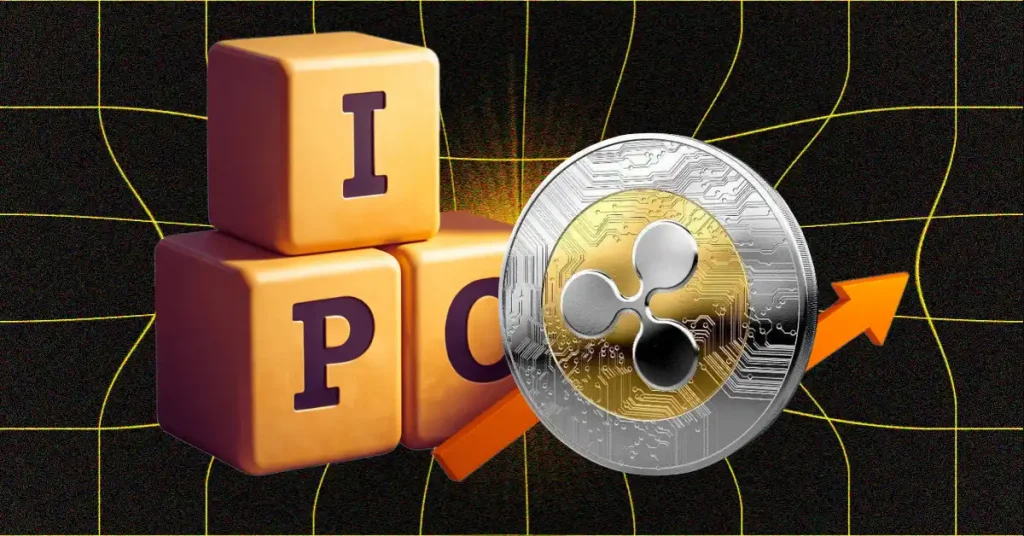
Ripple IPO Back in Spotlight as Valuation Hits $50B

Ripple IPO Back in Spotlight as Valuation Hits $50B

The post Ripple IPO Back in Spotlight as Valuation Hits $50B appeared first on Coinpedia Fintech News Ripple, the blockchain payments company behind XRP, is once
Share
CoinPedia2025/12/27 14:24
Solana co-founder predicts that by 2026: the stablecoin market will exceed one trillion US dollars, and 100,000 humanoid robots will be shipped.

Solana co-founder predicts that by 2026: the stablecoin market will exceed one trillion US dollars, and 100,000 humanoid robots will be shipped.

PANews reported on December 27th that Anatoly Yakovenko, co-founder of Solana, released some predictions about 2026 on X, as follows: The total size of stablecoins
Share
PANews2025/12/27 15:04